# Linux

{% hint style="danger" %}
請使用支援 <mark style="color:orange;">C++ 11</mark> 的 <mark style="color:orange;">GCC 4.5</mark> 或更高版本。
{% endhint %}

<table><thead><tr><th width="193" align="center">使用項</th><th>位置</th></tr></thead><tbody><tr><td align="center">PNLicense</td><td>&#x3C;安裝資料夾>/ProudNet/util/PNLicenseAuth</td></tr><tr><td align="center">設定庫</td><td>&#x3C;安裝資料夾>/ProudNet/lib/x86_x64-linux/</td></tr><tr><td align="center">範例程式</td><td>&#x3C;安裝資料夾>/ProudNet/Sample/</td></tr></tbody></table>

&#x20;在 Windows 上安裝 ProudNet 後，將 Linux 版本所需的專案複製到您的 Linux 電腦上。

立即建構範例的資料夾結構如下。
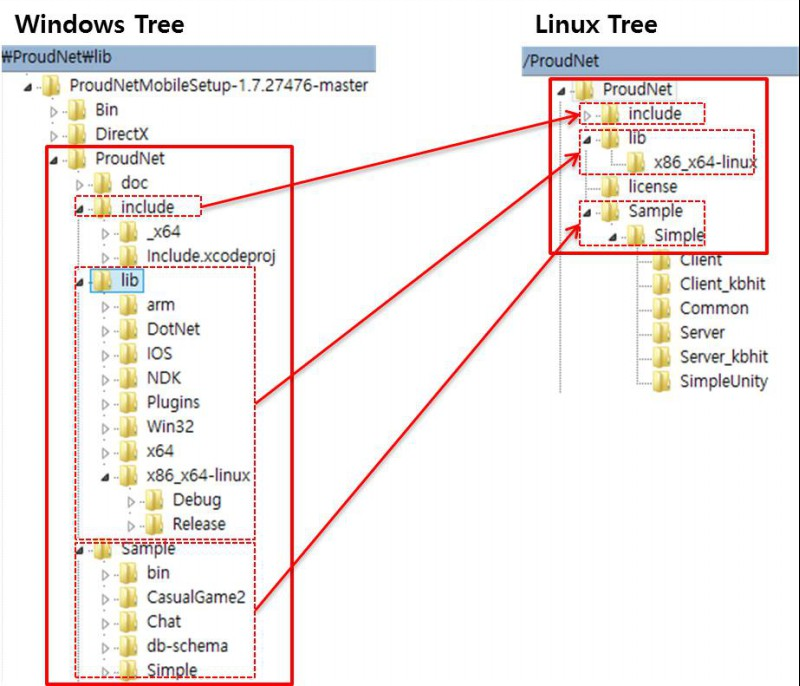
<figure><img src="https://content.gitbook.com/content/hhO5qj4oN2uLfVC5EG5W/blobs/fl9RKm3cO3scmgMse3uk/linux_dir.png" alt=""><figcaption><p>資料夾配置直接建置範例，無需修改MakeFile</p></figcaption></figure>

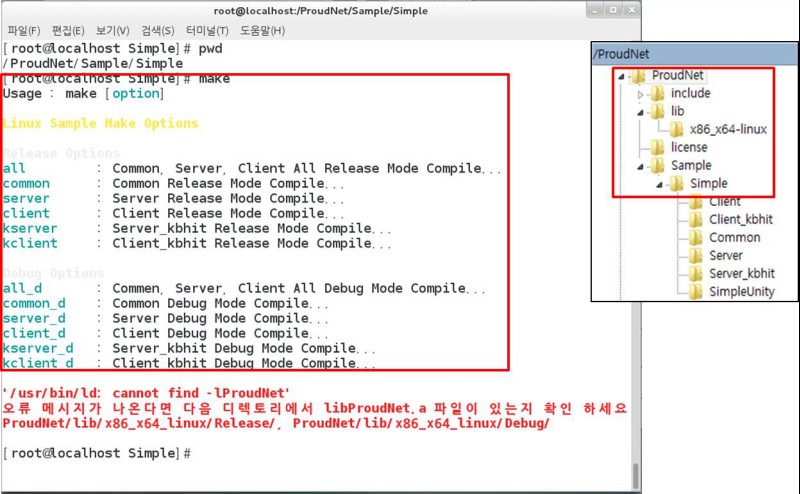
您可以透過 make 命令建立範例。

<figure><img src="https://content.gitbook.com/content/hhO5qj4oN2uLfVC5EG5W/blobs/a7AlTOdwMcQHuOvvCMuu/make_option.png" alt=""><figcaption><p>make 選項</p></figcaption></figure>

{% hint style="info" %}
如果收到 ***/usr/bin/ld: cannot find -lProudNet***&#x932F;誤訊息，請檢查 <mark style="color:orange;">ProudNet/lib/x86\_x64\_linux/Release/. ProudNet/lib/x86\_x64\_linux/Debug/</mark> 目錄中是否存在 <mark style="color:orange;">libProudNet.a</mark> 檔案。
{% endhint %}

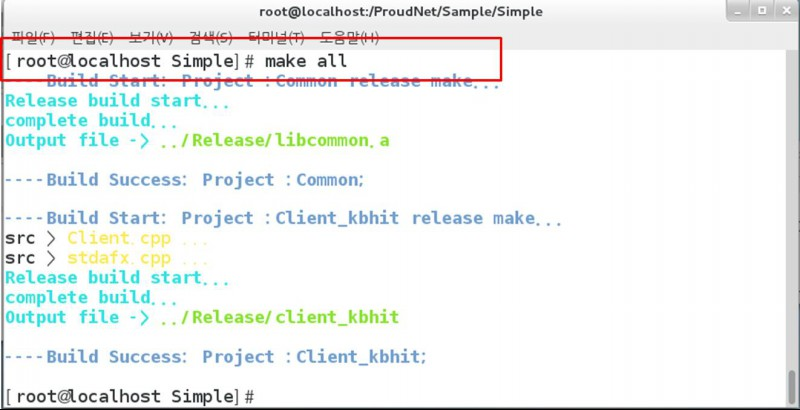
<figure><img src="https://content.gitbook.com/content/hhO5qj4oN2uLfVC5EG5W/blobs/fNFl2NMofi9xAu4Wgodw/make_all.png" alt=""><figcaption><p>make all 建構</p></figcaption></figure>

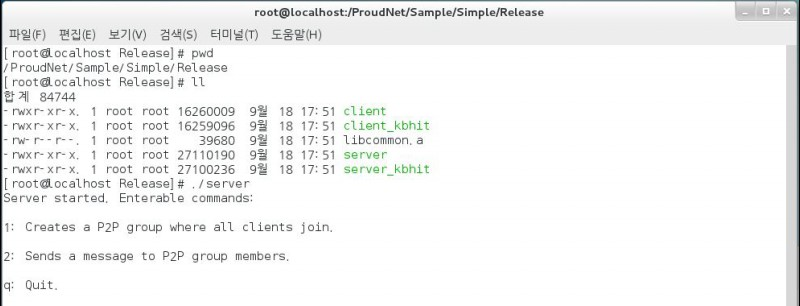
<figure><img src="https://content.gitbook.com/content/hhO5qj4oN2uLfVC5EG5W/blobs/ePzNIcpN9vBzzPIJbCHq/linux_build_result.png" alt=""><figcaption><p>建構結果</p></figcaption></figure>

***

## :arrow\_left: [返回](https://docs.proudnet.com/proudnet.cn/proudnet/2.setting/..#2.-pidl)